
Knowledge Base
Leave Management
Last updated on September 19th, 2025
Introduction
With leave management, workers are able to raise requests for time off and have them approved by their managers. This leave, once approved, will be placed on schedulers for the days that the staff member has requested and assist with scheduling in Gojee as well as managing worker timesheets and payroll via Xero. Any leave created or updated in Gojee will sync to Xero and vice versa.
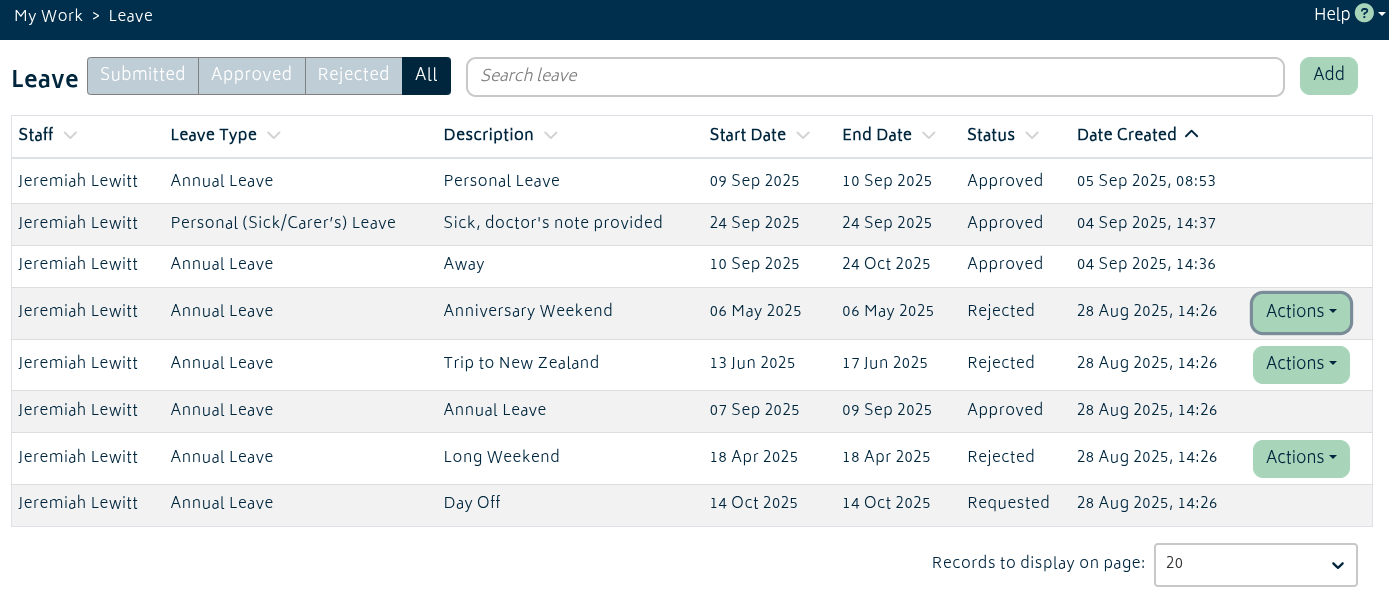
Creating Leave
Leave applications can be created for staff who are linked to Xero. Gojee-only staff cannot currently have leave submitted. Timesheet managers and administrators can also create leave on behalf of staff.
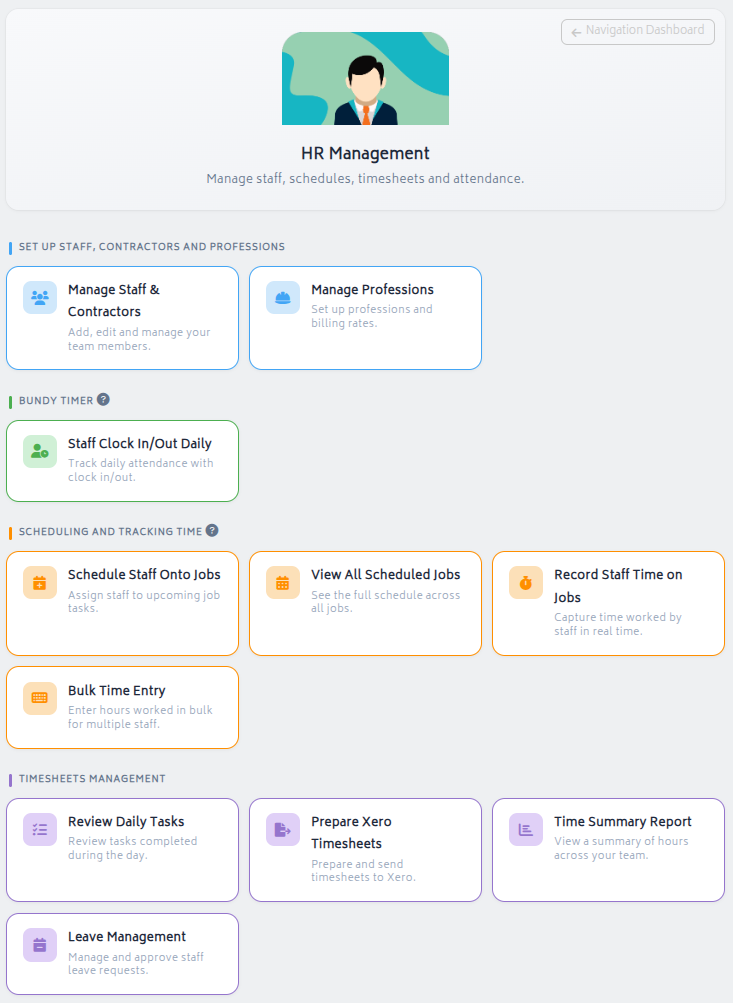
The leave page is available by clicking My Work, or in Timesheets Management under HR Management on the Navigation Dashboard.
To create a leave request, click the Add button. This will bring up the following modal:
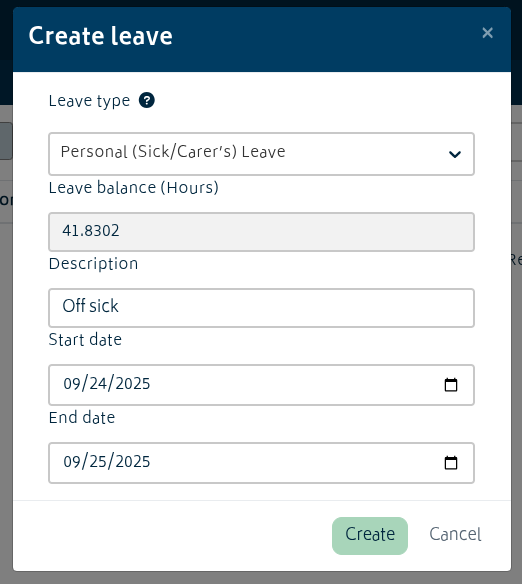
The leave types available and the staff member’s available balance will be pulled from Xero. Once the leave type and start/end dates are entered, the leave will be created in draft status. Leave requests cannot be created for periods longer than one year; create separate leave requests for longer periods.
In cases where the start and end date are the same, the amount of hours of leave to be requested can be adjusted as so:
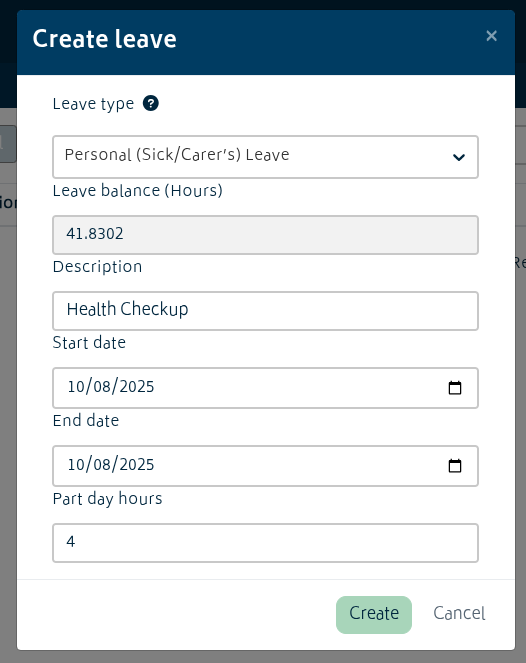
Like this, half days/early leave etc. can be requested.
Managing Leave
Once leave is in draft status, there are a number of actions that can be taken on it. If you are the person who created the leave, you have the options to edit the leave or delete it.
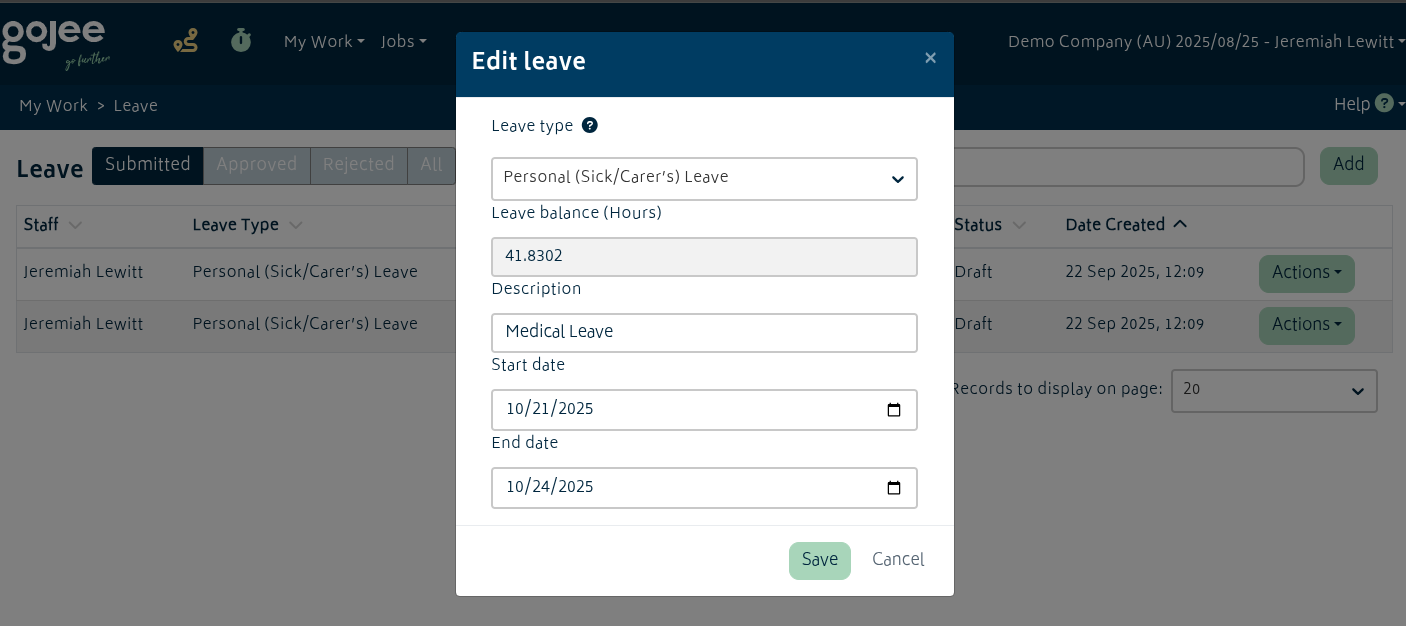
Editing leave looks much the same as when creating the leave.
Any timesheet manager or administrator in the organisation will be able to additionally review the leave and choose to approve or reject it.
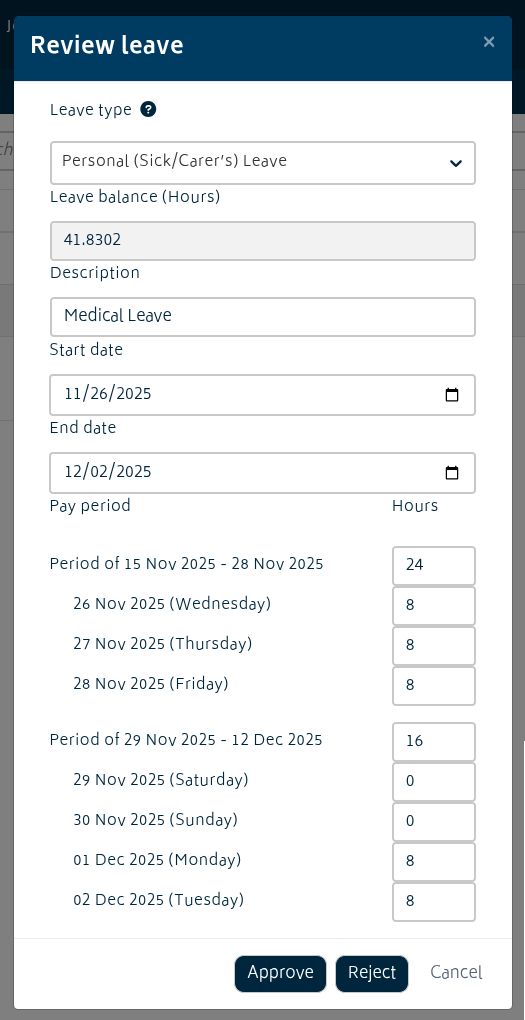
Prior to approving the leave, the hours that make up the leave will be split into their relevant pay periods, with a breakdown of how the hours are spent per day. If the leave goes over multiple pay periods, all relevant pay periods will appear. These can be edited as necessary – eg. the hours may be reduced due to public holidays, overlapping with other days, internal policy etc.
When leave is rejected, it can only be deleted.


